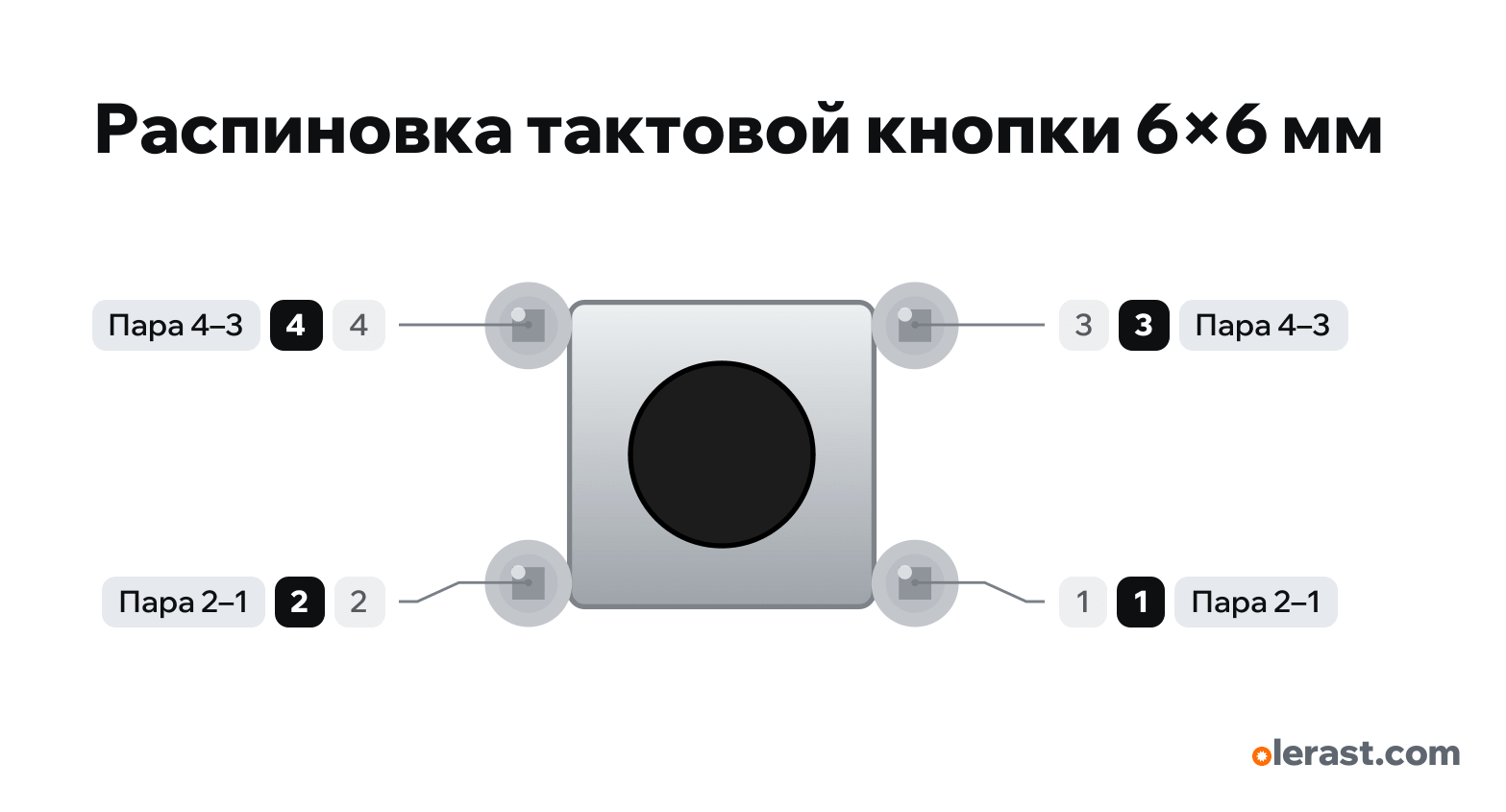
6×6 mm tactile button pinout
6×6 mm tactile button (4 pins), 6×6 tactile button, 5 V logic, 9.4×7.62 mm, 4 pins
verified17.10.2026
Top view: 4 top left, 3 top right, 2 bottom left, 1 bottom right (as in the Omron datasheet).
BuyDownload PNG- Chip
- 6×6 tactile button
- Logic
- 5 V
Important
- Pins 6.5 mm apart (12.5 mm on the 12×12) are always connected internally; the button joins them to the other pair. If both wires go to connected pins, the button reads as always pressed.
- Simplest: one pin to a GPIO, the diagonal pin to GND, pinMode(pin, INPUT_PULLUP) in code: released = HIGH, pressed = LOW.
- On a breadboard, place it across the center channel: the connected pins end up in different halves.
All pins
Sources
Every pin is verified against the manufacturer's documents.
- Omron B3F Tactile Switch (6×6, 12×12)datasheet, checked 17.10.2026top view: pins 4 and 3 are connected, 2 and 1 are connected, the button is between the pairs; 6×6: pins 6.5 mm apart (connected) and 4.5 mm; 12×12 (B3F-4000): 12.5 and 5.0 mm; 50 mA, 24 V
Size: 6×6 case; pins 6.5×4.5 mm drawn on 7.62×5.08 (across the breadboard channel) (approximate).